smart App-controlled and innovative - fully connected to the GARDENA smart system
- Stay in control: Thanks to the GARDENA smart system, the lawnmower is fully connected and can be managed from anywhere
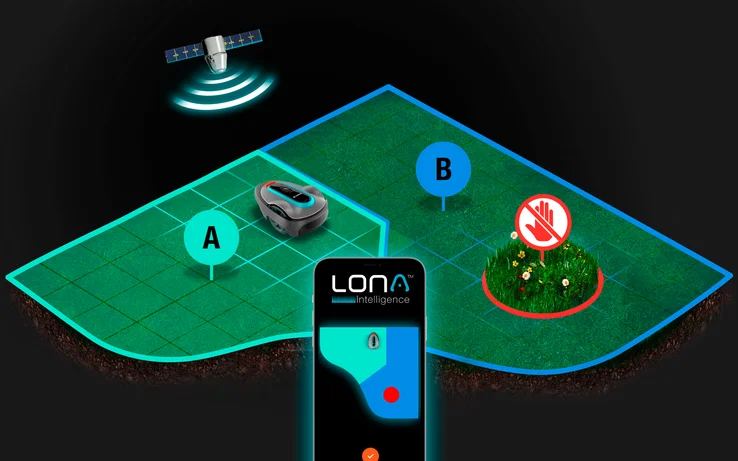
- Advanced technology: LONA™ Intelligence offers Real-time tracking, mapping, zone management & intuitive control via the GARDENA smart App
- Quiet operation: With a noise level of 57 (dB)A, the robot mows extremely quietly and is barely noticeable when in use
- Weather & terrain: The smart SILENO city works under all weather conditions, on small and complex lawns
- Included: 1 x GARDENA smart SILENO city 500 m² Set, incl. 1 x smart gateway, incl. 1 x charging station, incl. 1 x 150 m boundary cable, incl. 200 x hooks, incl. 4 x connectors, incl. 5 x connection clamps
The GARDENA smart SILENO city with the latest LONA™ technology, an AI-based mapping innovation with location tracking, offers the ingenious solution for your garden.
Revolutionary lawn care
Optimise your lawn care with the GARDENA smart system. The advanced EasyApp control gives you the flexibility to manage your garden effortlessly from anywhere. Enjoy all the benefits of the GARDENA smart system, which makes the installation and operation of your intelligent SILENO city lawnmower seamless thanks to the intuitive Easyconfig, Auto Schedule and Smart Home functions. All these functions are conveniently accessible at the touch of a button on the GARDENA smart App. Turn your gardening routine into a streamlined and intelligent process with the GARDENA smart system and put unparalleled convenience at your fingertips.
Advanced technology
LONA™ Intelligence, the unmatched AI technology in the SILENO robotic lawnmower range, offers Real-time tracking, mapping, zone management, and intuitive control via the GARDENA smart App. With patented GPS-based sensor fusion, effortlessly define no-mow zones and personalized maintenance settings at the touch of a finger, anytime, anywhere.
Pro-silent
Enjoy quiet moments in the garden with the SILENO city, which has the lowest noise level in its class at just 57 dB(A) thanks to its exceptionally quiet motor. Embrace peaceful coexistence with your neighbours as this mower operates quietly, allowing everyone to relax and enjoy the tranquillity of the garden even when the robot is in action.
Mastering all weathers
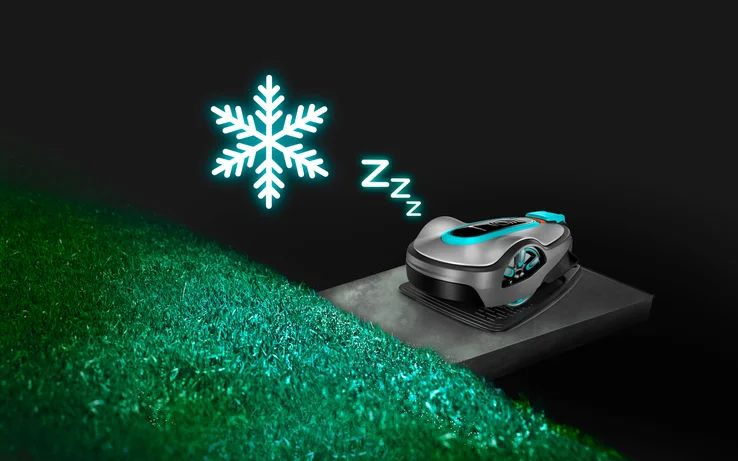
Embrace worry-free lawn care with SILENO's automatic weather and terrain function. This robotic marvel works seamlessly in all weather conditions, whether it's rain or sunshine, tackling small and complex lawns with ease. This intelligent robotic lawnmower goes the extra mile by detecting frozen or frosty ground conditions and intelligently pausing its programme until it thaws, ensuring optimum mowing performance. It even copes with slopes and gradients of up to 35 per cent. You can rely on SILENO city to adapt to different terrains and keep your lawn looking great, regardless of the elements or landscape.
Easy to clean
The GARDENA smart SILENO city has been carefully designed for easy maintenance. A simple spray with the garden hose thoroughly cleans the housing, blades and wheels, effectively removing dirt, dust and grass clippings. This user-friendly feature ensures that keeping your robotic lawnmower in optimum condition is a hassle-free task.